Syncs
Syncs automatically add Series from your media servers to TitleCardMaker. Using filters, you can implement fine-tuned control of which Series are included, and even assign Templates automatically.
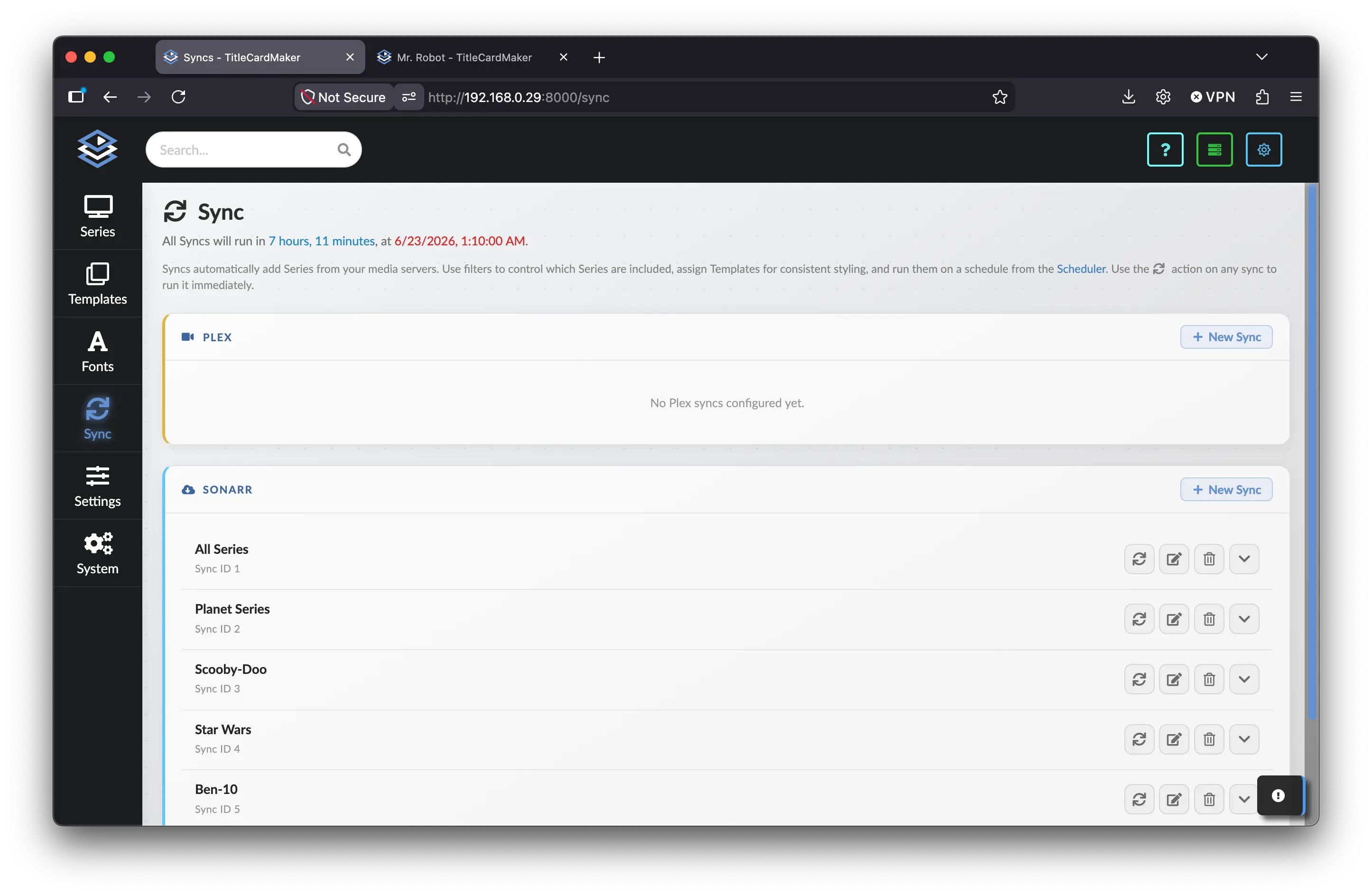
This functionality can be accessed from the Sync page from on the sidebar
via the Sync item, or at the /sync URL.
The Sync Page
At the top of the page the next run countdown shows when all Syncs will run as part of the scheduled Sync Series Task. Syncs are grouped into panels by Connection type:
- Emby
- Jellyfin
- Plex
- Sonarr
A panel is only shown if you have at least one Connection of that type. Each panel lists configured Syncs for that source, or an empty-state message when none exist.
Creating a Sync
Click New Sync in the panel header for the source you want. A modal opens with the Sync configuration form. Connection and Sync Name are required; all other fields are optional.
Common fields (all sources):
| Field | Description |
|---|---|
| Connection | Which server Connection to Sync from. |
| Sync Name | Display name for this Sync. |
| Template(s) to Apply | Templates assigned to newly added Series. Order in the dropdown reflects Template priority — see Template Priority. Templates can be edited after Syncing. |
| Add as Unmonitored | When enabled, newly added Series are marked Unmonitored so Episodes are not added automatically. |
Media Server Filters
These sources share the same filter structure. Even though Plex uses Labels in the UI, where Emby and Jellyfin use Tags, the underlying behavior is the same.
Filters
- Tags / Labels — All listed Tags (or Labels) must be present on a Series for it to Sync. Type a value and press Enter after each one.
- Libraries — Only Sync Series from the selected Libraries. Leave empty to include all Libraries on the Connection.
Exclusions
- Tags / Labels — Exclude Series that have any of these Tags (or Labels).
- Libraries — Exclude Series from any of these Libraries.
Click Create to save the Sync. It appears in the corresponding source panel.
Sonarr filters
Sonarr Syncs use Sonarr-specific filters instead of Libraries:
Filters
- Tags — All listed Tags must be present. Choose from existing Sonarr Tags or type a custom Tag and press Enter.
- Series Type — Only include Series of the selected type: Anime, Daily, or Standard.
- Required Root Folders — Only include Series under one of the listed root folders. Type a folder path and press Enter after each one.
- Downloaded Only — Require at least one downloaded Episode.
- Monitored Only — Exclude unmonitored Series.
Exclusions
- Tags — Exclude Series with any of these Tags.
- Series Type — Exclude all Series of the selected type.
When Syncing from Sonarr, configure Library Paths on the Connection so TCM can auto-assign libraries to added Series.
Managing Syncs
Each Sync appears as a row showing its name and Sync ID. Four actions are available on the right:
| Action | Description |
|---|---|
| Sync () | Run this Sync immediately. A toast lists any newly added Series with links to their Series pages. If another Sync is already running, this button is disabled. |
| Edit | Open the same form used for creation, pre-filled with current values. Click Save Changes to update. |
| Delete | Open a confirmation modal listing Series linked to this Sync (up to 25, with a count of any additional Series). Choose to delete the Sync only, or delete the Sync and all associated Series. |
| Details | Expand or collapse a summary of Templates, required Tags/Libraries, and exclusions configured on this Sync. |
When no custom filters or Templates are set, the details panel shows No customized settings.
Scheduled Syncing
All defined Syncs run together as the Sync Series scheduled Task. The countdown at the top of the page reflects this Task's next run time.
When the Task runs (or you trigger a Sync manually), TCM queries the configured server, adds matching Series that are not already in TCM, assigns Templates, downloads posters and logos, and refreshes Episode data. Title Cards are not created until the Create Title Cards Task runs — this gives you time to review and adjust newly added Series.
If the global Delete Un-Synced Series setting is enabled, any Series not found on any defined Sync is removed from TCM (including associated Title Cards).
Tips
- Assigning Templates as part of a Sync is generally preferable to configuring each Series individually after it is added.
- Sonarr is typically faster than media-server Syncs and offers more granular filtering (series type, root folders, monitored/downloaded status).
- Emby, Jellyfin, and Plex Syncs can all be configured alongside Sonarr Syncs, but there is rarely any benefit to Syncing from many different sources.