Templates
A Template is a set of custom settings and Card configurations that can be
assigned to multiple Series or Episodes at once. Multiple Templates can be
assigned to a Series or Episode, and, with Filters, can be used to conditionally
apply setting changes. Templates can be viewed and edited on the Templates page
(the /card-templates URL), accessible from the sidebar via the Templates
item.
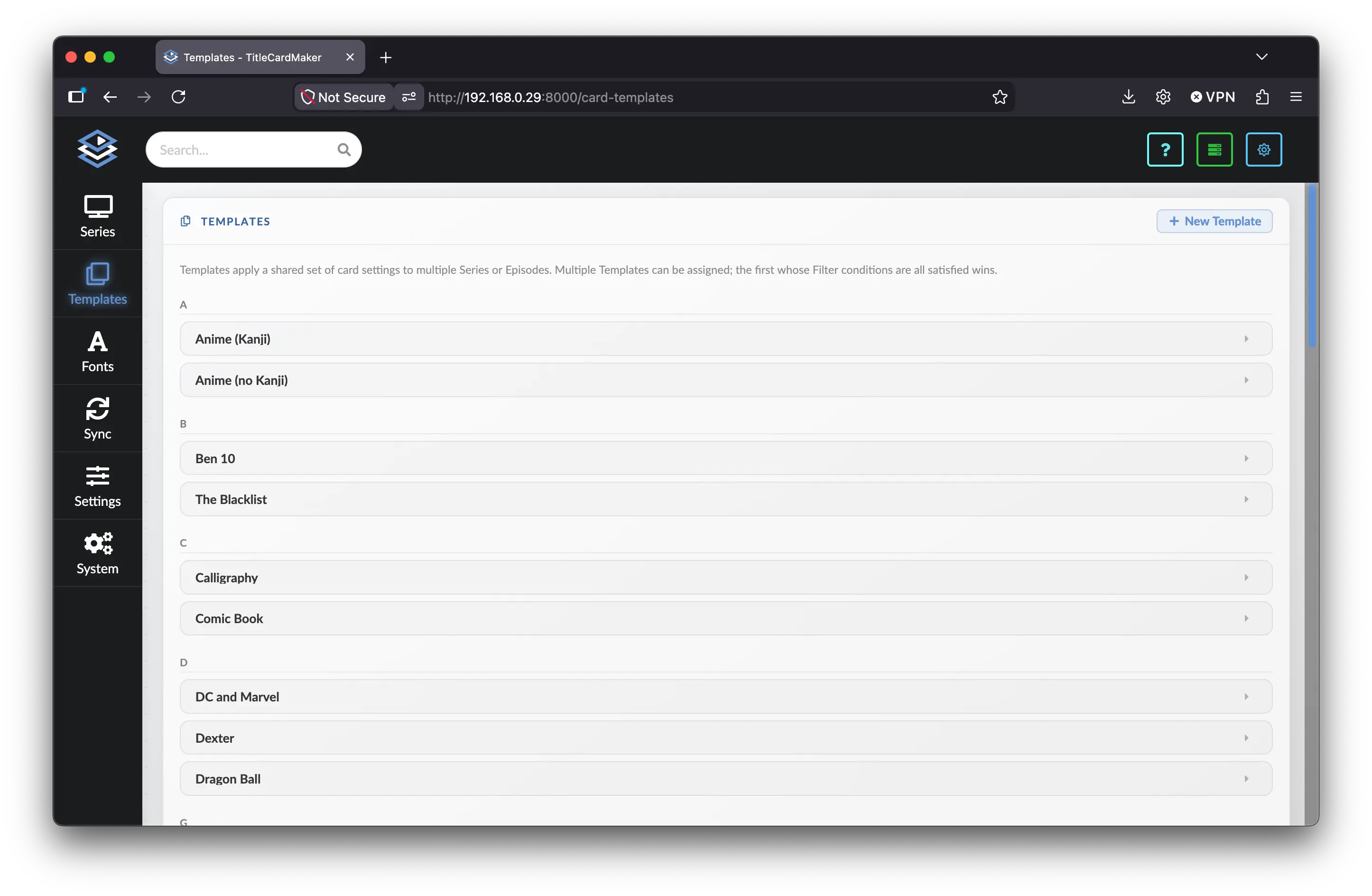
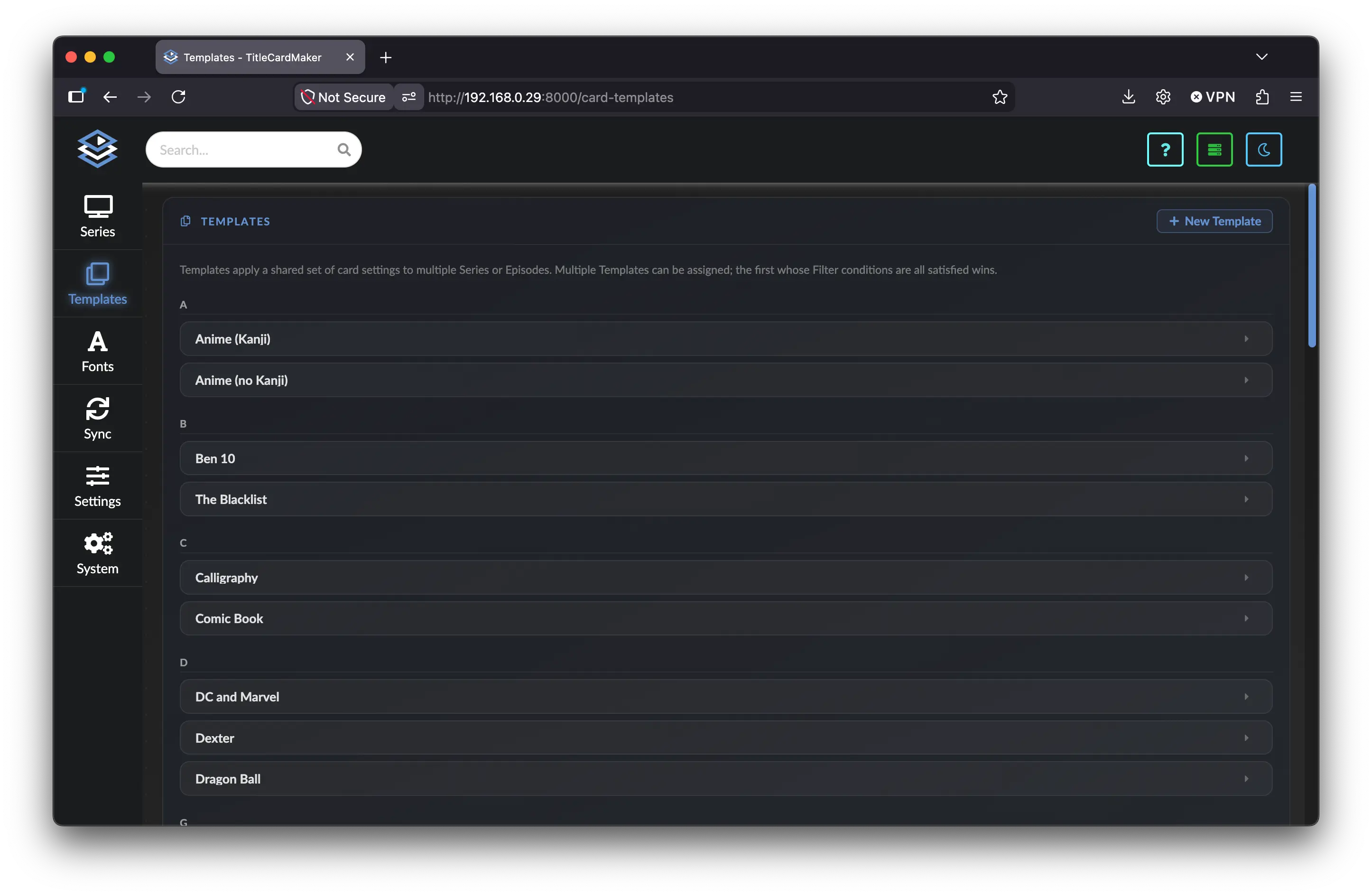
An easy way to view Templates is that they allow you to group Card customizations together so they can be easily edited en masse without changing each Series individually. The most common use-case is to develop a Template (or a set of Templates) that applies to some subset of your Series — e.g. all anime, or all documentaries — and apply those Templates automatically when Syncing.
Standard Example
By far the most common example of using a Template is for utilizing different card configurations for anime and non-anime cards. Creating an anime Template which overrides the card type, adds translations, and potentially adds absolute episode numbering allows for easily maintaining two very separate card looks.
Template Priority
One key feature of Templates is the ability to assign more than one to a Series or Episode and implement a priority system using Filters.
Whenever a Template is assigned, TCM evaluates whether that Template should be applied to whatever operation it is performing. It does this by looking at the assigned Filters; and the first Template whose Filter conditions are all met will be utilized.
Within the UI, Templates are always displayed in order. Meaning the first Template listed in the dropdown of a Sync, Series, or Episode is the highest priority Template.
Creating and Editing Templates
Click New Template to create a blank Template named Blank Template. Expand
the accordion to enter a name, configure settings, and save.
At the bottom of each Template form:
- Save Changes — Persists the current form values to the database.
- Delete — Opens a confirmation modal listing Series linked to this Template Confirm to permanently delete the Template.
Preview
Each Template includes a live preview of the current form values — not necessarily what was last saved.
- Search for an Episode in the Preview Episode dropdown (requires at least two characters).
- Click Refresh Preview, or click the preview image itself, to generate a Card using the current unsaved settings.
An Episode must be selected before a preview can be generated.
Customization
Each expanded Template is organized into labeled sections. All values can be left blank — if blank, TCM uses the next highest priority setting from the Series, Episode, or global setting. Setting priorities are listed here.
Name
A Template's name is purely for easier selection within the TCM UI. If you are using Tiered Templates, it is recommended to include the relative priority of the Template in the name — e.g. Tier 1 - Unwatched Anime, or Tier 0 - All Anime.
The accordion header updates to match the Template Name field.
Importing Blueprint Templates
The name of a Template is also used to match Templates when importing Blueprints.
For example — if you are importing a Blueprint featuring a Template named Anime and have already created a Template named Anime, then TCM will not duplicate the Template and instead just assign the existing Template to the Series.
This is relatively uncommon, as Templates are not typically included in Blueprints.
Filters
Filters are a critical component of utilizing different priority Templates for more fine-tuned customization. A Template can have any number of Filters, and all Filters must be true (or unevaluatable) for a Template to be applied.
Use Add Condition to add a row. Each condition has three parts: an Argument (the variable from the Series or Episode being evaluated), an Operation, and an optional Reference Value. To remove a condition, click the × button on that row or clear its Operation.
The Filters section notes that text comparison is case-insensitive, that
matches / does not match accept
Regex, and that airdate values use YYYY-MM-DD.
Example
To add a Filter condition which only applies to unwatched pilots (season 1 episode 1 of a Series), you would create the following conditions:
| Argument | Operation | Reference Value |
|---|---|---|
Season Number |
equals |
1 |
Episode Number |
equals |
1 |
Episode Watched Status |
is false |
Note that there is no reference value for the Episode Watched Status
condition, as the is false operation does not need to reference another
value.
If you enter some invalid condition — like a bad reference value, or a nonsensical operation — then the condition is skipped (which is the same as being true).
Optimal Filter Ordering
If you'd like to make marginal performance improvements, it is best practice to put conditions which are more likely to fail — i.e. the more restrictive conditions — first, as this short-circuits the Filter evaluation logic.
For example, putting a condition for Episode Number equals before
Season Number equals would be ideal since more failures will occur on
the Episode number condition than the season number condition.
Below is a summary of all Filter arguments, their valid operations, a description of what this Filter accomplishes, and whether it requires a reference value.
All Supported Filter Conditions1
| Operation | Description | Reference Value |
|---|---|---|
| equals | Only apply to Series of the given name | |
| does not equal | Do not apply to Series of the given name | |
| starts with | Only apply to Series whose name starts with the given text | |
| does not start with | Do not apply to Series whose name starts with the given text | |
| ends with | Only apply to Series whose name ends with the given text | |
| does not end with | Do not apply to Series whose name ends with the given text | |
| contains | Only apply to Series whose name contains the given text | |
| does not contain | Do not apply to Series whose name contains the given text | |
| matches | Only apply to Series whose name matches the given regex | |
| does not match | Do not apply to Series whose name matches the given regex |
The is before and is after conditions cannot be used with a Series
Year argument; see the Episode Airdate argument, or use the math
operations (less than, greater than, etc.).
| Operation | Description | Reference Value |
|---|---|---|
| equals | Only apply to Series whose year is exactly the given number | |
| does not equal | Do not apply to Series whose year is exactly the given number | |
| matches | Only apply to Series whose year matches the given regex | |
| does not match | Do not apply to Series whose year matches the given regex | |
| is less than | Only apply to Series whose year is less than the given number | |
| is less than or equal | Only apply to Series whose year is less than or equal to the given number | |
| is greater than | Only apply to Series whose year is greater than the given number | |
| is greater than or equal | Only apply to Series whose year is greater than or equal to the given number |
The Number of Seasons argument only counts Episodes which are in TCM.
| Operation | Description | Reference Value |
|---|---|---|
| equals | Only apply to Series with exactly the given number of seasons | |
| does not equal | Do not apply to Series with exactly the given number of seasons | |
| is less than | Only apply to Series whose number of seasons is less than the given number | |
| is less than or equal | Only apply to Series whose number of seasons is less than or equal to the given number | |
| is greater than | Only apply to Series whose number of seasons is greater than the given number | |
| is greater than or equal | Only apply to Series whose number of seasons is greater than or equal to the given number |
Library names are evaluated as a list of all assigned libraries, meaning
the full library name must be specified to filter on this argument. For
example, if I had a Series assigned to the Anime HD and Anime 4K
libraries, the reference value Anime would not match either of
these. The entire name, such as Anime HD would be required.
| Operation | Description | Reference Value |
|---|---|---|
| contains | Only apply to Series with a library of the given name | |
| does not contain | Do not apply to Series with a library of the given name |
This Filter condition only looks at the default Series logo — e.g.
logo.png within the source directory.
| Operation | Description | Reference Value |
|---|---|---|
| file exists | Only apply to Series whose logo exists | |
| file does not exist | Only apply to Series whose logo does not exist |
This Filter condition can be used with Variables to dynamically apply a Template based on the existence of some file, such as a poster, per-season logo, etc.
| Operation | Description | Reference Value |
|---|---|---|
| file exists | Only apply to Series where the indicated file exists | |
| file does not exist | Only apply to Series where the indicated file does not exist |
Watched statuses are evaluated per-library (even if Multi-Library mode is disabled).
| Operation | Description | Reference Value |
|---|---|---|
| is true | Only apply to Episodes that have been watched | |
| is false | Do not apply to Episodes that have been watched | |
| is null | Only apply to Episodes whose watched status is unknown2 | |
| is not null | Only apply to Episodes whose watched status is known2 |
| Operation | Description | Reference Value |
|---|---|---|
| is true | Only apply to Episodes that are not part of season 0 | |
| equals | Only apply to Episodes with exactly the given season number | |
| does not equal | Do not apply to Episodes with exactly the given season number | |
| is less than | Only apply to Episodes whose season number is less than the given number | |
| is less than or equal | Only apply to Episodes whose season number is less than or equal to the given number | |
| is greater than | Only apply to Episodes whose season number is greater than the given number | |
| is greater than or equal | Only apply to Episodes whose season number is greater than or equal to the given number |
| Operation | Description | Reference Value |
|---|---|---|
| equals | Only apply to Episodes with exactly the given episode number | |
| does not equal | Do not apply to Episodes with exactly the given episode number | |
| is less than | Only apply to Episodes whose episode number is less than the given number | |
| is less than or equal | Only apply to Episodes whose episode number is less than or equal to the given number | |
| is greater than | Only apply to Episodes whose episode number is greater than the given number | |
| is greater than or equal | Only apply to Episodes whose episode number is greater than or equal to the given number |
The Episode Identifier is formatted as S01E03 (zero-padded season and
episode numbers). This is useful for targeting specific Episodes without
separate season and episode conditions.
| Operation | Description | Reference Value |
|---|---|---|
| equals | Only apply to Episodes with exactly the given identifier | |
| does not equal | Do not apply to Episodes with exactly the given identifier | |
| starts with | Only apply to Episodes whose identifier starts with the given text | |
| does not start with | Do not apply to Episodes whose identifier starts with the given text | |
| ends with | Only apply to Episodes whose identifier ends with the given text | |
| does not end with | Do not apply to Episodes whose identifier ends with the given text | |
| contains | Only apply to Episodes whose identifier contains the given text | |
| does not contain | Do not apply to Episodes whose identifier contains the given text | |
| matches | Only apply to Episodes whose identifier matches the given regex | |
| does not match | Do not apply to Episodes whose identifier matches the given regex |
Special Variable
The variable {absolute_episode_number} can be used in episode text
format strings (and other locations) which will use the absolute
episode number if available, and the normal episode number,
otherwise.
| Operation | Description | Reference Value |
|---|---|---|
| is null | Only apply to Episodes with no absolute episode number | |
| is not null | Only apply to Episodes with an absolute episode number | |
| equals | Only apply to Episodes with exactly the given absolute episode number | |
| does not equal | Do not apply to Episodes with exactly the given absolute episode number | |
| is less than | Only apply to Episodes whose absolute episode number is less than the given number | |
| is less than or equal | Only apply to Episodes whose absolute episode number is less than or equal to the given number | |
| is greater than | Only apply to Episodes whose absolute episode number is greater than the given number | |
| is greater than or equal | Only apply to Episodes whose absolute episode number is greater than or equal to the given number |
| Operation | Description | Reference Value |
|---|---|---|
| equals | Only apply to Episodes whose title is exactly some text | |
| does not equal | Do not apply to Episodes whose title is exactly some text | |
| starts with | Only apply to Episodes whose title starts with some text | |
| does not start with | Do not apply to Episodes whose title starts with some text | |
| ends with | Only apply to Episodes whose title ends with some text | |
| does not end with | Do not apply to Episodes whose title ends with some text | |
| contains | Only apply to Episodes whose title contains some text | |
| does not contain | Do not apply to Episodes whose title contains some text | |
| matches | Only apply to Episodes whose title matches some regex | |
| does not match | Do not apply to Episodes whose title matches some regex |
All title length evaluations are done on the original title, before any title text formatting or splitting.
| Operation | Description | Reference Value |
|---|---|---|
| equals | Only apply to Episodes whose title length is exactly the given number | |
| does not equal | Do not apply to Episodes whose title length is exactly the given number | |
| is less than | Only apply to Episodes whose title length is less than the given number | |
| is less than or equal | Only apply to Episodes whose title length is less than or equal to the given number | |
| is greater than | Only apply to Episodes whose title length is greater than the given number | |
| is greater than or equal | Only apply to Episodes whose title length is greater than or equal to the given number |
All time reference values must be entered as YYYY-MM-DD — e.g.
2023-12-30 for December 30th, 2023.
| Operation | Description | Reference Value |
|---|---|---|
| is null | Only apply to Episodes with no airdate | |
| is not null | Do not apply to Episodes with airdates | |
| is before | Only apply to Episodes which aired before the given date | |
| is after | Only apply to Episodes which aired after the given date |
All time reference values must be entered as YYYY-MM-DD — e.g.
2023-12-30 for December 30th, 2023.
| Operation | Description | Reference Value |
|---|---|---|
| is before | Only apply before the given date | |
| is after | Only apply after the given date |
| Operation | Description | Reference Value |
|---|---|---|
| is null | Only apply to Episodes with no extras | |
| is not null | Do not apply to Episodes with any extras | |
| contains | Only apply to Episodes with extras of the given label | |
| does not contain | Do not apply to Episodes with extras of the given label |
Card Settings
- Card Type — The card type to apply as part of this Template. Defaults to the global default when unset. Click the ⓘ icon next to the label to open a modal listing all available card types.
- Font — A Named Font to apply. Defaults to the card default when unset. When a Font is selected, an external-link icon opens that Font's entry on the Fonts page.
- Watched Style / Unwatched Style — How to stylize watched and unwatched Episodes. Defaults to the server default when unset.
Season and Episode Text
- Hide Season Titles — Whether to hide season text on Title Cards (
True,False, or inherit the default). - Hide Episode Text — Whether to hide episode text on Title Cards.
-
Season Titles — Custom titles for specific season or episode ranges. Use Add to create a row. Each row has a range key and a title value:
1— whole season 1s1e2-s1e5— season 1, episodes 2–55-10— absolute episodes 5–10
-
Episode Text Format — Custom format string for episode text. Defaults to the card default when blank.
Non-Card Settings
- Episode Data Source — Where to get Episode data from. See Episode Data Source.
- Image Source Priority — Order of Connections to try when downloading Source Images. See Image Source Priority.
- Ignored Localized Images — Whether to skip localized Source Images.
- Enable Specials — Whether to include Episodes from Season 0 (specials). See Enable Specials.
Translations and Extras
Quick translation settings
- Title Language — Select a TMDb language to fetch Episode titles as the preferred title. Leave at Default (source title) to use the title from your Episode data source without translation.
- Enable Kanji — When enabled, TCM fetches Japanese titles from TMDb into
the
kanjifield (used by Anime-style card types). Equivalent to adding aja → kanjitranslation entry.
Additional Translations
Each row specifies a language and a target data key. Use Add to create a row and Delete All to remove all additional rows (this does not affect the Title Language or Kanji settings above).
Extras
The Extras section provides tabbed fields for card-type-specific custom values. The available extras depend on the selected Card Type. Extras tabs are initialized when you first expand a Template accordion.
In-depth documentation of each extra (along with example images) can be found on the Card Types page.
-
Argument and operation pairs which are meaningless (but technically valid) — e.g.
Series Nameis greater than...— are not listed. Many of these are either always true or always false, but hold no real meaning. ↩ -
An Episode's watched status is unknown if the Episode cannot be found in an associated Media Server within the specified library. ↩↩